 Auditius Free audio editor and multitrack studio in your browser
Free online audio editor and multitrack studio
Edit, mix and export audio without uploading anything.
- Free
- No install, no account
- Files never leave your computer
- English and Spanish
What is Auditius?
Auditius is a complete audio editor that runs in your browser. Open a recording, cut it, clean it up, add effects, build a multitrack mix and export it as WAV, FLAC, MP3 or Ogg Vorbis. There is nothing to install and no account to create, and your files are processed on your own computer, never uploaded.
Two views: a precise editor and a multitrack studio
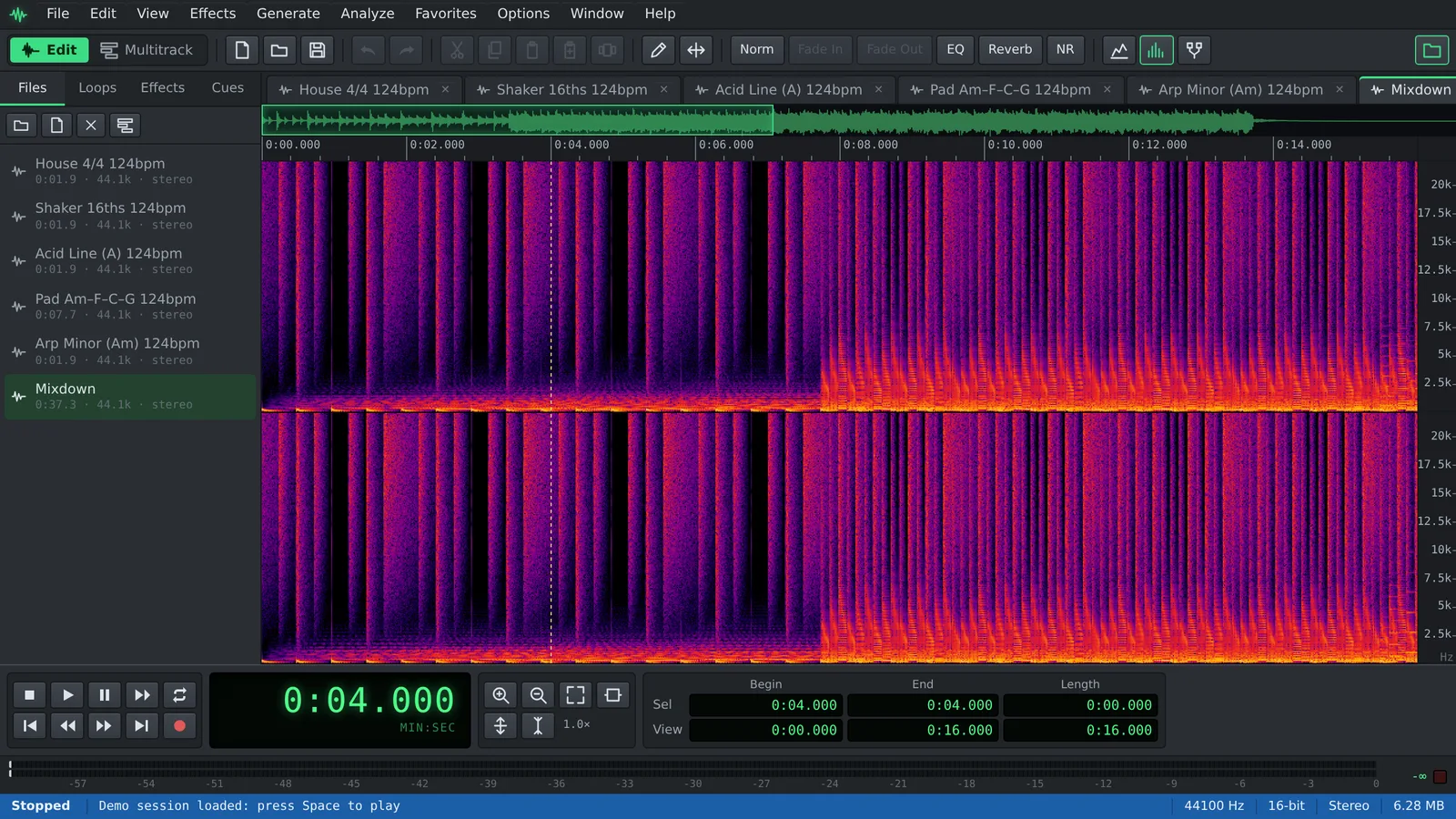
The Edit Waveform view works on one file at a time, down to the individual sample. Select a passage, cut or paste it, apply an effect, preview it and decide. Ctrl+Z takes you back a step.
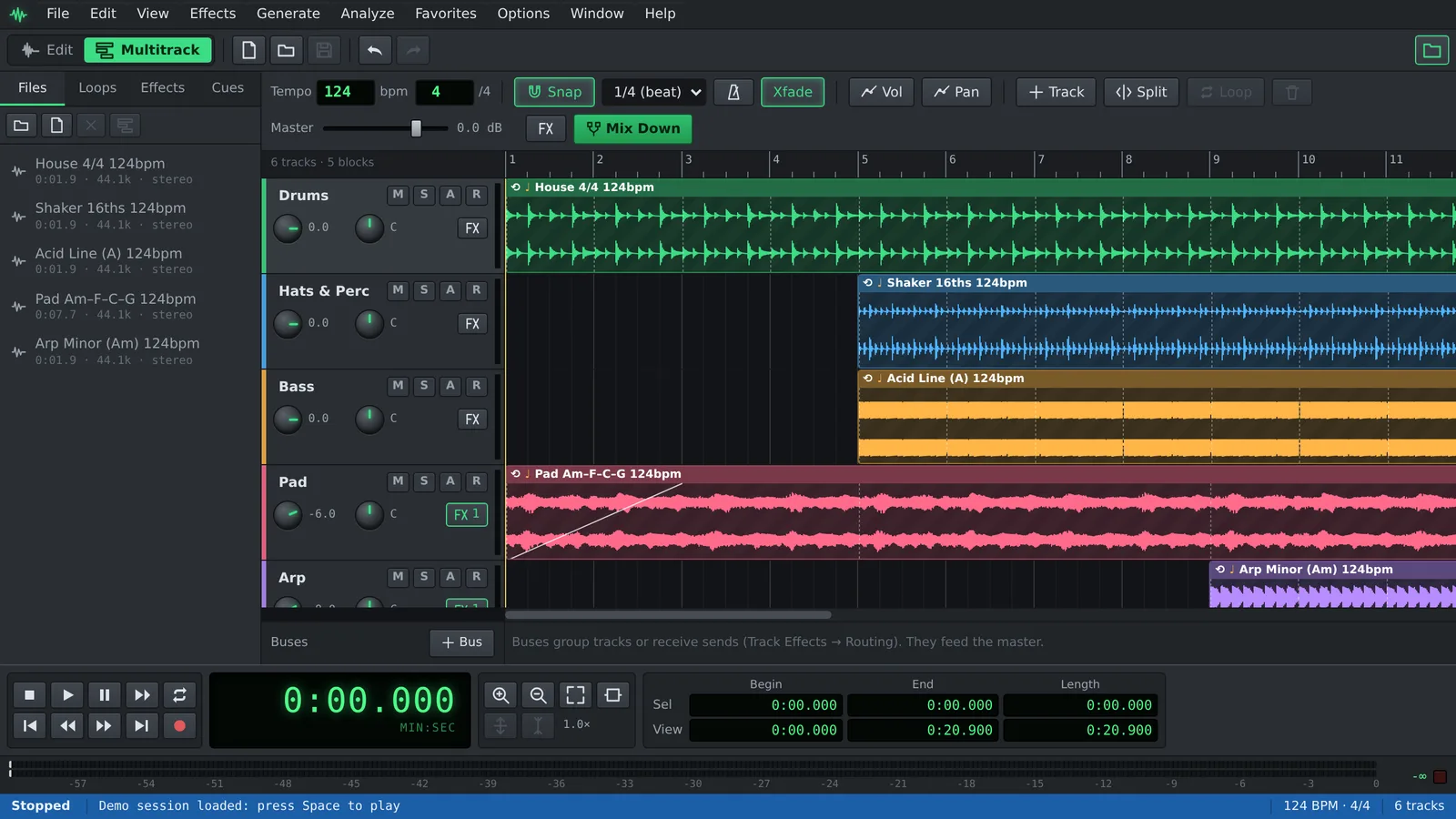
The Multitrack view is a small studio. Arrange recordings and loops on tracks, shape them with envelopes and automation, route them through buses and mix everything down to a new file.
Press F12 to switch between them. A file you clean up in the editor goes into the multitrack with Edit ▸ Insert in Multitrack (Ctrl+M), and any block in a session can be opened back in the editor.
What you can do with Auditius
Everything listed here runs in the browser tab, on your own machine.
- Edit precisely: waveform and spectral views, cut, copy, paste and mix paste, editing of a single stereo channel, a pencil to redraw samples, scrubbing, cues and a cue playlist.
- Apply 38 effects, each with presets and a preview: graphic, parametric and FFT EQ, compressor, limiter, noise gate, reverb, delay, chorus, flanger, phaser, distortion, envelope and more.
- Restore recordings: noise reduction from a captured noise profile, hiss reduction, click and pop removal, clip restoration and DC offset removal.
- Change time and pitch: stretch audio without changing its pitch, shift the pitch without changing the length, or bend the pitch along a curve.
- Analyze sound with a frequency analysis window and statistics such as peak level, RMS power and possibly clipped samples.
- Generate tones and sweeps, white, pink or brown noise, DTMF signals and silence.
- Build arrangements: loopable blocks that follow the session tempo, a tempo map, a built-in library of royalty-free drum, percussion, bass and synth loops, crossfades and block groups.
- Mix: volume and pan envelopes, buses with sends, a master effects rack and track automation lanes.
- Record from your microphone, including punch-in recording that keeps every pass as a take.
- Use AI on your device: transcribe speech with word timings and subtitles, or turn text into speech in Spanish and English. Models download only on request.
- Automate repetitive work with scripts and batch processing.
- Export WAV (8, 16, 24 or 32-bit float), FLAC, MP3 or Ogg Vorbis, and save whole sessions as .auditius files.
Why Auditius is different
Your audio stays on your computer. Auditius decodes, edits and encodes files inside the browser with the Web Audio API and WebAssembly encoders. There is no upload, no server queue and no account. That matters for interviews, voice notes, client material or anything you would rather not hand to a third party.
It is free and there is nothing to install. Open the page and start working. Your work is saved automatically in the browser, so after a reload your files, cues and session are still there.
It works on desktop and tablet. The interface supports touch: a long press opens context menus and a two-finger pinch zooms the waveform and the timeline. With a keyboard, F1 lists every shortcut.
It speaks your language. The interface is available in English and Spanish, under Options ▸ Language.
Who uses it
Auditius is built for people who need real editing tools without setting up a studio.
- Podcasters: remove background noise, cut mistakes and long pauses, even out the voice with compression or normalization, and export MP3.
- Musicians: record ideas, choose the best take, stretch a part to a new tempo, add reverb and delay, and bounce a mix.
- Beatmakers: sketch a beat with the built-in loops, set the tempo, repeat blocks and drop in your own samples.
- Video editors: clean up dialogue and voice-over, cut music to length and export WAV for your editing software.
- Students and teachers: see sound as a waveform and a spectrum, generate test tones and study frequencies.
- Anyone with a noisy recording: a voice memo, a lecture, a phone interview or an old tape transfer.
Good to know
Auditius opens the audio formats your browser can decode, usually WAV, MP3, OGG, FLAC, M4A/AAC and WebM. It does not load plugins, MIDI or video files.
In Chrome and Edge, Save writes your changes back to the original file. Other browsers save a new copy to your downloads. Recording asks for permission to use your microphone.
Frequently asked questions
Is Auditius free?
Yes. You can open, edit, mix and export audio without paying and without creating an account.
Are my files uploaded to a server?
No. Audio is decoded, processed and encoded on your own device. Your work is kept in your browser’s storage so it survives a reload, and it is not sent anywhere.
Which formats can I open and export?
You can open anything your browser can decode, usually WAV, MP3, OGG, FLAC, M4A/AAC and WebM audio. You can export WAV (8, 16, 24 or 32-bit float), FLAC (16 or 24-bit), MP3 (constant or variable bitrate) and Ogg Vorbis.
Do I need to install anything?
No. Auditius runs in a current desktop or tablet browser. Chrome and Edge add one extra: saving changes directly into the file you opened.
Does it work on a tablet or phone?
Yes, it supports touch, with long press for context menus and pinch to zoom. It also runs on phones, but a tablet or computer screen makes detailed editing much easier.
Can I save a project and continue later?
Your work is saved automatically in the browser. For a portable copy, use File ▸ Save Session… to download an .auditius file with your tracks, blocks, effects and audio, and File ▸ Open Session… to load it again.
Audio tools
- Remove background noise from audio onlineRemove background noise from audio online for free: capture a noise profile, preview the result and export a clean file. Runs in your browser, with no uploads.
- Change the tempo of audio without changing the pitchChange the tempo of audio without changing the pitch: slow down or speed up songs, speech and loops in your browser. Free, nothing to install, and no uploads.
- Convert audio online: WAV, MP3, FLAC and OggConvert WAV to MP3 or FLAC online for free, or turn MP3, M4A and OGG into WAV. Choose bitrate or bit depth and export, all in your browser, with no uploads.
- Cut and join audio onlineCut and join audio online: trim MP3 or WAV files, remove unwanted parts and merge several recordings into one. Free, in your browser, with no uploads.
- Make loops and beats onlineMake loops online with royalty-free drum, bass and synth loops that follow your tempo. Repeat blocks, mix tracks and export WAV or MP3, free.
- Make audio louder onlineMake a quiet recording louder in your browser: boost the volume in dB, check the peaks so it does not distort and save the file. Free, and nothing is uploaded.
- Normalize audio onlineNormalize audio online for free: set the loudest peak to the level you choose, for one file or many, without clipping. Runs in your browser, with no uploads.
- Add a fade in and a fade out to audioAdd a fade in or a fade out to any song or recording in your browser: select the start or the end, pick a curve and save. Free, nothing to install, no uploads.
- Change the pitch of audio without changing the speedChange the pitch of a song or recording online for free: transpose by semitones or cents and keep the same speed and length. In your browser, with no uploads.
- Reverse audio online and play it backwardsReverse audio online for free: play a song, a voice or a sound effect backwards, or reverse only a selected part. Runs in your browser, with nothing uploaded.
- Make a ringtone from a song onlineMake a ringtone from any song online for free: pick the best 30 seconds, add fades, even out the volume and save it as an MP3. In your browser, with no uploads.
- Equalize audio online with a graphic equalizerEqualize audio online for free: boost the bass, tame harsh highs or clear up a voice with a 10-band graphic EQ, filters and presets. In your browser, no uploads.
- Compress audio online to even out the volumeFree online audio compressor: even out the loud and quiet parts of a voice, podcast or song with threshold, ratio and presets. In your browser, with no uploads.
- Add reverb to audio onlineAdd reverb to a voice, instrument or song online for free: choose a room, hall or plate preset, keep the tail and export. Runs in your browser, with no uploads.
- Record audio from your microphone onlineRecord audio from your microphone in the browser: watch the input level, record into a new or open file, play along in the multitrack and save as WAV or MP3.
- Remove clicks, pops and crackle from a recordingRemove clicks, pops and vinyl crackle from audio in your browser with the Click / Pop Eliminator. Preview the repair and save the result. Free, with no uploads.
- Fix clipped, distorted audio onlineFix clipped audio in your browser: spot the flattened peaks, rebuild them with Clip Restoration and keep the level below full scale. Free, nothing to install.
- Convert stereo audio to mono onlineConvert stereo audio to mono online for free: mix both channels with the Channel Mixer or make a true one-channel file. In your browser, with no uploads.
- Transcribe audio to text with AI, in your browserTranscribe audio to text with AI for free in your browser: word timings, click a word to hear it, SRT or VTT subtitles. Your recording is never uploaded.
- AI text to speech in Spanish and English, in your browserTurn text into speech with AI for free in your browser: Spanish and English voices, adjustable speed, pause tags and WAV export. Your text stays on your device.